
Manual Update
This guide shows how to update RJ Nexus manually, without any command line. It covers Hostinger (hPanel) and cPanel. The process is the same on both: download the new version, upload it, extract it over the old files, and keep two protected files untouched.
🎥 Prefer video? Watch the full walkthrough: Manual Update on YouTube
Before You Start
- Create a backup of your site files and database (hosting panel → Backups).
- Make sure you know where your site lives. On most hosts it is the
public_htmlfolder. - Read the warning below. It is the most important part of this guide.
⛔ DO NOT DELETE THESE FILES
Your site will break or ask for a fresh installation if either of them is lost.
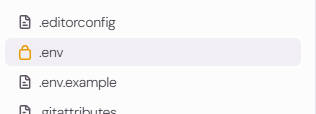
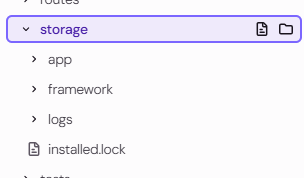
File Location Why it matters .envpublic_html/.envHolds your database connection, app key and all settings Installed lock file inside public_html/public/Tells the system it is already installed, so the installer does not run again Never delete, rename or replace them. If you remove old files before extracting, skip these two.
.env location:
Installed lock file location:
Step 1: Download the Latest Version
Choose one of the two sources.
Option A: GitHub
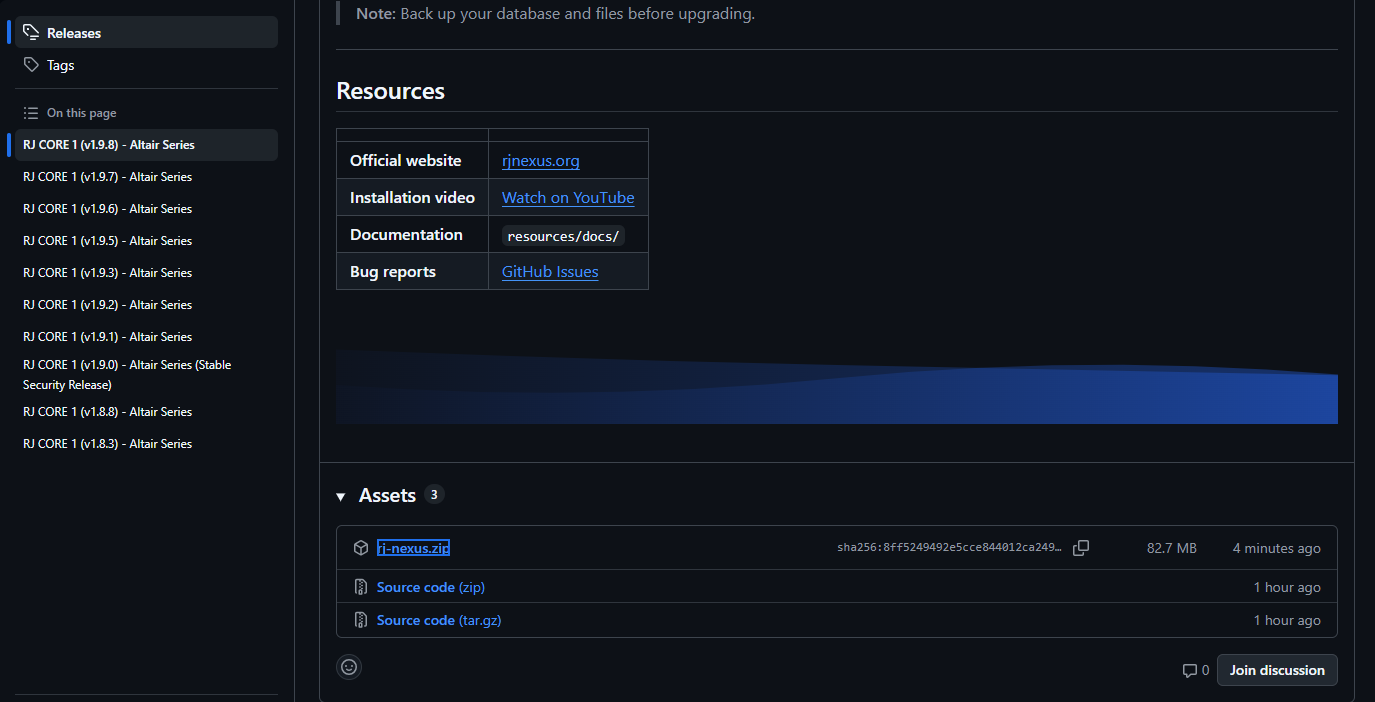
Open the releases page: https://github.com/rj-nexus/rj-nexus/releases
Find the latest release and download the source/package .zip file.
Option B: Official Website
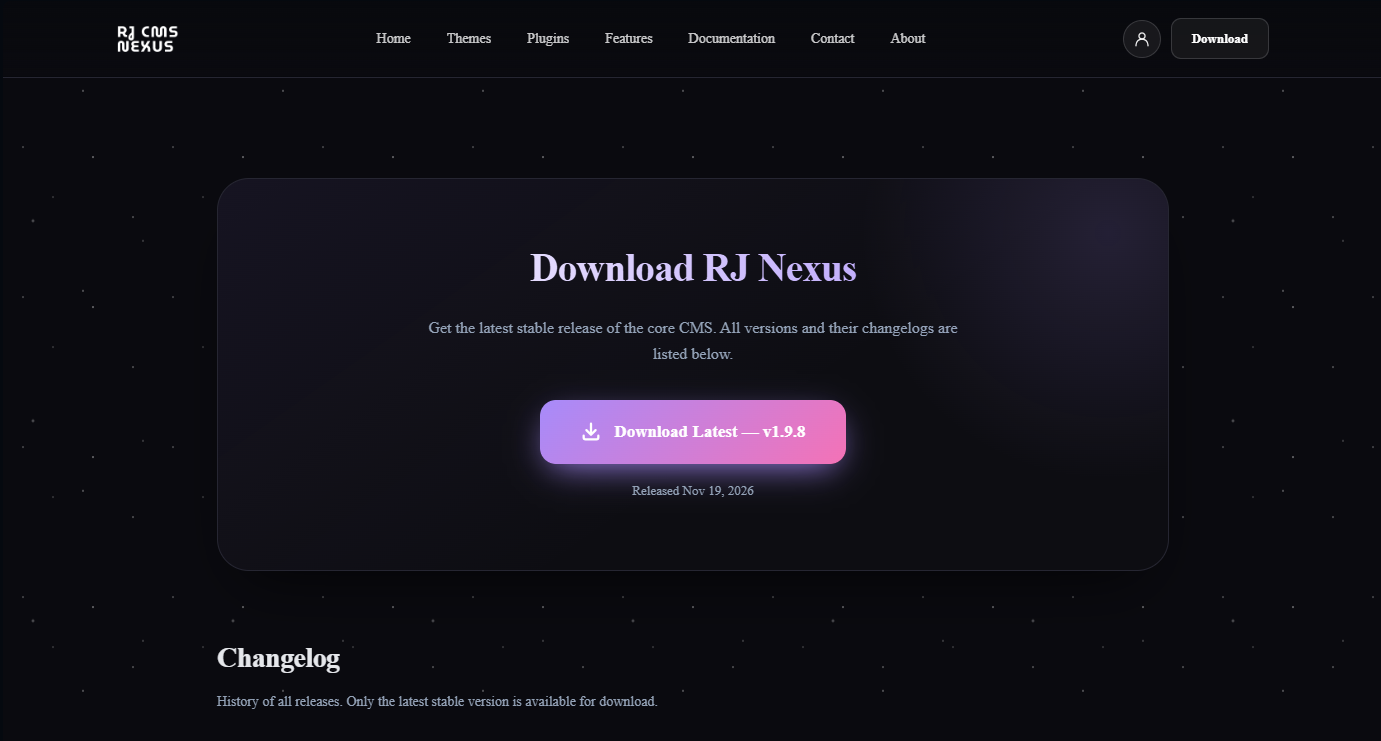
Open the official website: https://rjnexus.org/en/download
1. Click the Download button in the header.

2. On the Download page, pick the latest version and download the ZIP file.
Keep the downloaded .zip file. Do not extract it on your computer.
Update on Hostinger (hPanel)
Step 1: Open File Manager
Log in to hPanel, select your website, and open File Manager.

Then open the public_html folder, where your site files are.
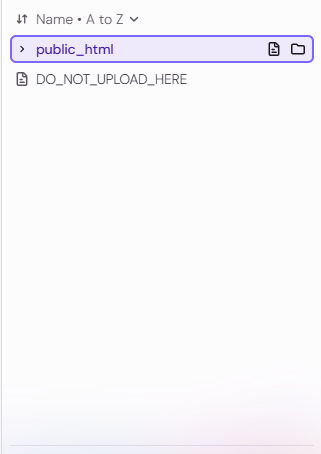
Remember: do not delete
.envor the installed lock file.
Step 2: Upload the ZIP File
Click the Upload button and select the .zip file you downloaded. Wait until the upload reaches 100%.
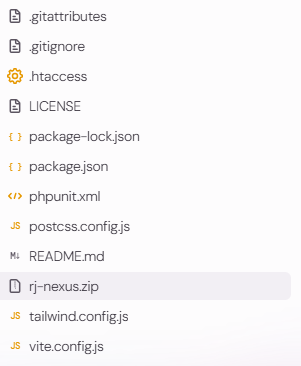
Step 3: Extract the ZIP
Right-click the uploaded .zip file and choose Extract. Extract it into public_html so the new files overwrite the old ones.
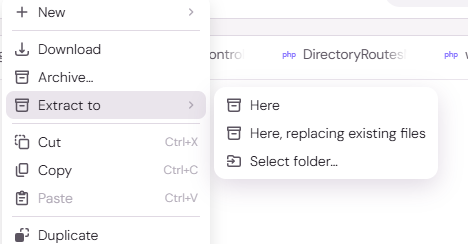
Step 4: Replace Existing Files
If the File Manager asks about existing files, choose Replace / Overwrite, so the old files are updated with the new version.
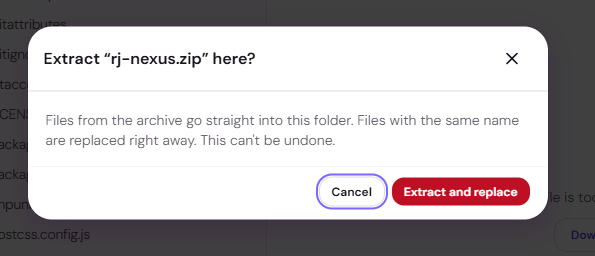
After the extraction finishes, delete the uploaded .zip file to keep your hosting clean.
Update on cPanel
The idea is exactly the same as on Hostinger. Only the interface looks different.
- Log in to cPanel and open File Manager (under Files).
- Go to the folder where your site is installed, usually
public_html. - Click Upload at the top, then drag and drop the
.zipfile. Wait for it to finish, then click Go Back. - Reload the folder (the Reload button) so the
.zipfile appears in the list. - Right-click the
.zipfile and choose Extract. Make sure the extraction path is/public_html(or your site's folder), then click Extract File(s). - cPanel overwrites files with the same name automatically. Your
.envand installed lock file are not part of the package, so they stay untouched, but never delete them by hand. - When extraction is done, delete the
.zipfile.
Tip: If the new files extracted into an extra subfolder (for example
rj-nexus-1.2.3/), open that folder, select all files, and Move them intopublic_html, choosing to overwrite. Then delete the empty folder.
After the Update
- Open your website and the admin panel to confirm everything loads.
- Clear your site cache (from the admin panel if available) and your browser cache (
Ctrl + F5). - Check the version number in the admin panel to confirm the update was applied.
Troubleshooting
| Problem | Solution |
|---|---|
| Installer screen appears again | The installed lock file was deleted. Restore it from your backup. |
| Database / 500 error after update | The .env file was removed or replaced. Restore it from your backup. |
| Old design still visible | Clear site cache and browser cache. |
| Files not overwritten | Extract again and choose Replace / Overwrite. |
Need Hosting?
RJ Nexus is an open-source project. If you are looking for reliable hosting, you can get 20% off Hostinger with our referral link. It also helps support the project at no extra cost to you: